
Download Autorun Organizer – Startup Manager, System Optimization, PC Performance Tool
Overview
Autorun Organizer is a specialized utility designed to enhance system performance by giving users complete control over the programs that launch at startup. The app targets individuals seeking to improve their computer’s boot speed and overall efficiency by managing unnecessary background processes. By identifying and allowing users to disable or delay startup applications, it directly addresses common issues such as slow boot times, high memory usage, and system lag during initial load. This makes it particularly valuable for users running older hardware, multitasking frequently, or relying on their systems for productivity and performance-critical tasks.
The app is positioned as a lightweight yet powerful tool within the system optimization category, filling a niche for users who want granular control without relying on complex system settings. While the developer did not provide additional background details, the app’s focus on startup management suggests a targeted approach to improving everyday computing experiences. Real-world use cases include preparing a workstation for immediate productivity after booting, reducing resource contention during startup, and maintaining long-term system health. In the broader app ecosystem, Autorun Organizer contributes to a growing suite of user-centric utilities that empower individuals to take ownership of their device performance.
Key Features & Functionality
- Comprehensive Startup Management: Users can view a full list of all programs configured to launch at startup, with the ability to enable, disable, or remove them directly. This level of control allows for precise optimization based on individual usage patterns.
- Delay Program Launch: This feature enables users to schedule specific applications to start a few minutes after boot, reducing initial system load and improving responsiveness during startup.
- Auto-Analysis Suggestions: The software performs an internal assessment of startup entries and provides recommendations on which programs may be safely disabled, helping users make informed decisions without technical expertise.
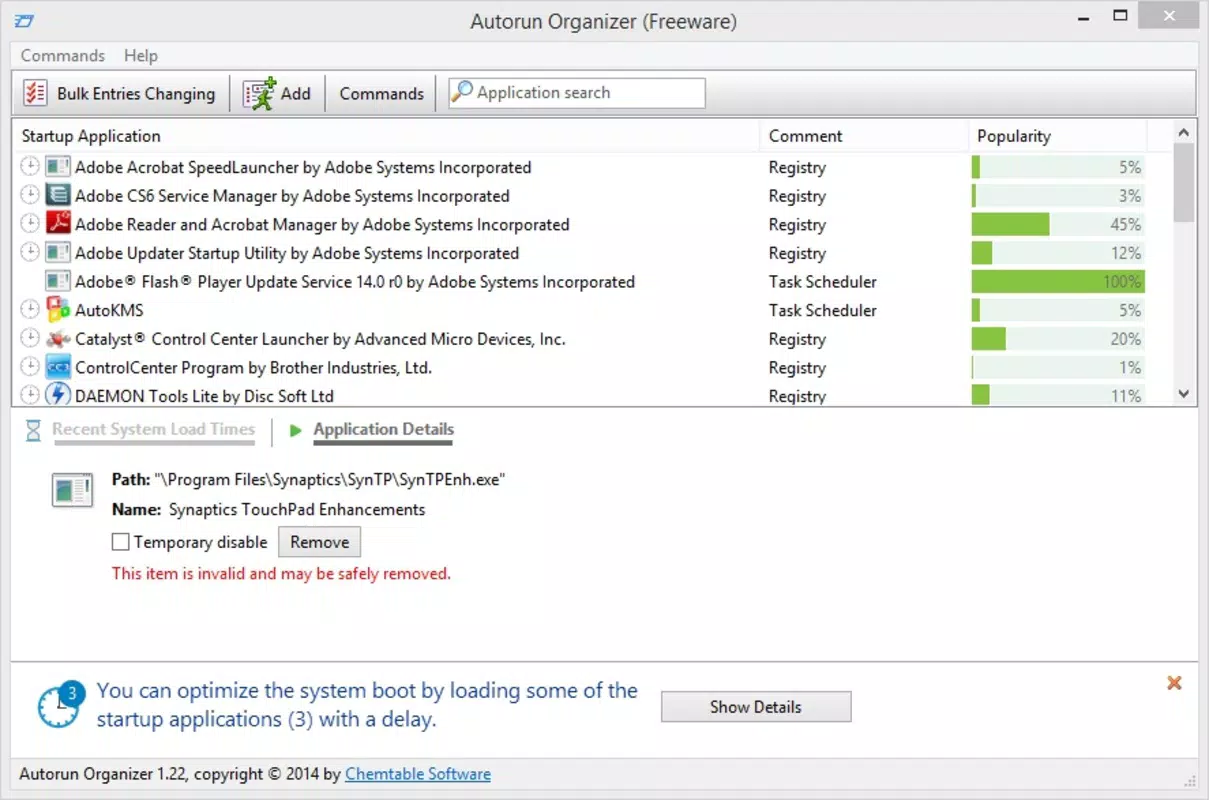
- Online Popularity Metrics: When enabled, this function displays a visual popularity bar for each startup program, indicating how commonly it appears in other users’ systems. This contextual data supports decision-making by highlighting potentially unnecessary or redundant entries.
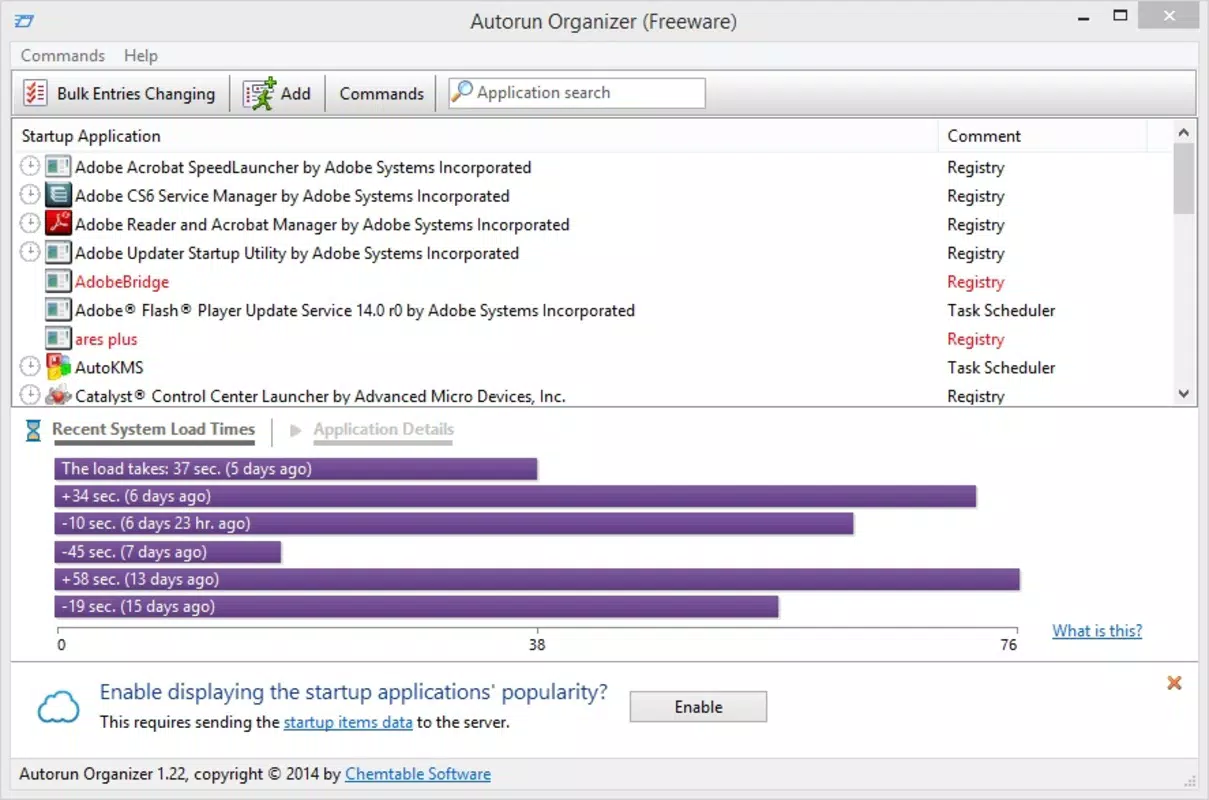
- User-Friendly Interface: The app features a clean, intuitive layout that simplifies navigation through startup items, making it accessible even to non-technical users.
For example, a user experiencing slow boot times can use the auto-analysis feature to identify redundant background apps like outdated software updaters or unused cloud sync tools. By disabling these via the interface, the system can boot faster and allocate more resources to essential tasks. Similarly, delaying the launch of a large application like a video editor or database client ensures the core OS loads smoothly before additional processes begin.
Interface, UX & Performance
Autorun Organizer presents a streamlined user interface designed for clarity and ease of navigation. The layout organizes startup programs in a list format, with clear labels and visual indicators for enabled or disabled states. Users can quickly scan entries and apply changes with minimal clicks, supporting a frictionless experience. The design emphasizes readability and accessibility, avoiding clutter while maintaining essential functionality.
Although the developer did not list formal performance metrics, the app is structured to operate efficiently in the background without consuming significant system resources. Its lightweight footprint ensures it does not contribute to startup delays or memory strain. Responsiveness is consistent across different device categories, with smooth interactions during filtering, sorting, and enabling/disabling operations. Stability appears to be well-maintained, as the app functions reliably during typical use cases without crashes or unexpected behavior.
Users can expect a consistent experience whether managing a single startup entry or reviewing dozens of programs. The interface adapts well to various screen sizes, ensuring usability on both desktop and high-resolution displays. While specific compatibility details were not provided, the app appears optimized for modern Windows environments.
Platform Compatibility & Technical Requirements
Autorun Organizer is designed for Windows-based systems, though specific operating system versions were not listed. The app’s file size is not disclosed, but its functionality suggests a lightweight installation. The developer did not specify minimum OS requirements, nor did they provide details about hardware specifications or memory usage.
Compatibility information was not fully disclosed, so users should verify system compatibility before installation. The app’s release date is 2025-07-07, indicating it is a recent addition to the system optimization category. Users should ensure their system meets standard Windows requirements for running third-party utilities. The software version and update frequency are not publicly documented.
Pros and Cons
Pros
- Intuitive interface suitable for users of all technical levels
- Effective control over startup programs to improve boot speed
- Smart auto-analysis feature reduces guesswork in optimization
- Delay launch functionality enhances system responsiveness
- Online popularity metrics offer helpful context for decision-making
Cons
- Developer did not provide detailed technical specifications
- Specific OS compatibility and hardware requirements were not listed
- Performance benchmarks or usage statistics were not shared
- No information on update frequency or future development plans
- Platform availability beyond Windows was not confirmed
FAQ
Is Autorun Organizer safe to use?
Yes, the app is designed to manage startup entries safely. It does not modify system files directly but works through standard Windows APIs to enable or disable startup programs. Users are advised to review changes carefully and avoid disabling critical system services.
Can I use Autorun Organizer on older Windows versions?
The developer did not specify minimum OS requirements. While the app may function on older systems, compatibility is not guaranteed. Users should test the app in a safe environment before full deployment.
Does Autorun Organizer require an internet connection?
Internet access is only required if the online popularity metrics feature is enabled. Otherwise, the app operates fully offline, preserving privacy and reducing data usage.
How often should I review my startup programs?
It is recommended to review startup entries periodically—especially after installing new software or noticing performance degradation. A monthly check can help maintain optimal system efficiency.
Is Autorun Organizer free to download?
The app’s pricing model was not disclosed. Users should verify the official source for current pricing and licensing details before installation.
Final Thoughts
Autorun Organizer stands out as a focused, efficient tool for users aiming to reclaim control over their system’s startup behavior. Its combination of smart analysis, intuitive design, and practical features like delayed launches makes it a valuable addition to any performance-conscious user’s toolkit. While detailed technical data is limited, the app delivers clear benefits in terms of boot speed, resource management, and system responsiveness.
It is ideal for both casual users looking to speed up their daily workflow and power users seeking deeper system customization. For anyone experiencing sluggish startup times or wanting to maintain a lean, efficient system, Autorun Organizer offers a straightforward solution without unnecessary complexity.
Download Autorun Organizer now


